Business cards are an essential branding tool as they provide a lasting first impression of your company and assist in building relationships with potential clients or customers.
Utilizing AI-based design platforms has made it easier and more cost-effective to create personalized business cards than ever before. Not all tools will offer the same level of customization, automation, and branding integration.
Within this comparison, we will be reviewing both Design.com and Venngage to compare their features, usability, and overall branding value for business owners and creative professionals when creating business cards.
What Makes a Great Business Card Tool?
When comparing a professional business card creator like Design.com to Venngage to help you determine which is better, the ideal business card maker will have the following features:
- Easy design creation with minimal effort
- Built in AI design features
- Professional, print-ready results
- Branding consistency across other assets
- Flexible editing and export options
- Commercial-use safe designs
Design.com and Venngage are two business card makers; let’s review them to see how they compare.
Design.com
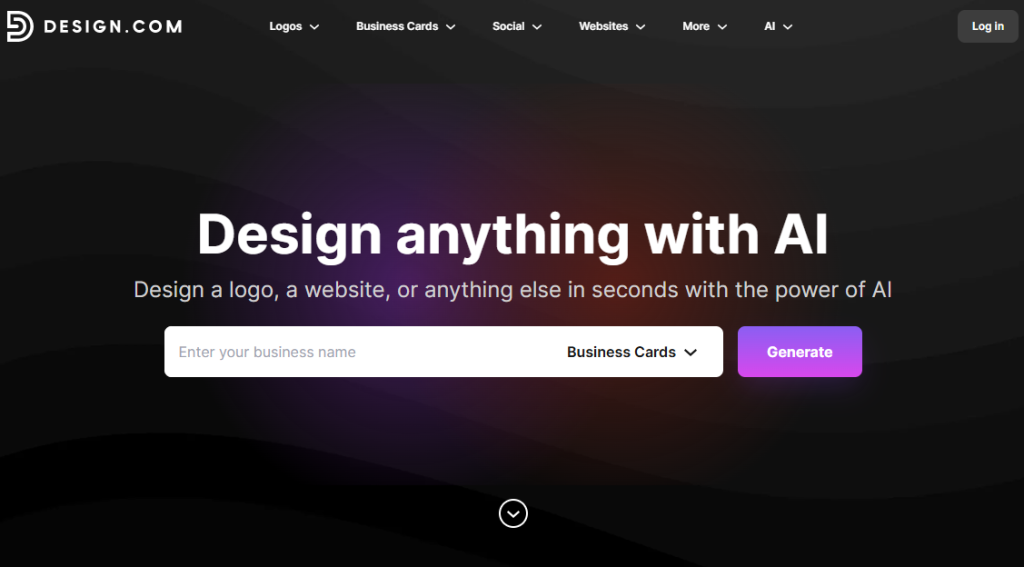
Design.com has earned recognition as one of the leading AI-based design systems globally. The platform is well-known for its ability to generate logos, but it also serves as an end-to-end platform for business cards that integrate seamlessly into your overall brand image and marketing materials.
Main Features
- Business Card Creation via AI: With an automated AI generator, you can create professional-looking business cards based on the industry and style you desire. You simply enter a short prompt and Design.com will generate thousands of high-quality, relevant business cards.
- AI-Based Text & Icon Editor: Using a chat-based interface, edit the text, icon, and layout of your business card, using Design.com’s proprietary copyright-safe editing platform.
- Largest Template Library in the World: Over 400,000 logo templates and over 1 million total design templates, including hundreds of beautifully designed business card templates.
- Fonts & Shapes Exclusive to Design.com: Access to 750+ commercial-quality fonts (including 525+ font styles exclusive to Design.com), plus 62,000+ vector shapes for creating original, high-quality designs.
- Sync Technology for Brands: When you select a business card template, it will sync your brand color palette for a professional-looking result.
- Commercially Safe Designs: Each design created by Design.com undergoes originality checks and quality assurance; extended licenses are also available.
- Downloadable File Types: Download your business card design in multiple formats, including SVG, EPS, PDF, PNG, JPG, GIF, MP4, plus transparent background and icon-only formats.
Additional Features
- BYO Logo: If you already have a logo, you can upload this to Design.com. The platform will leverage AI to automatically cascade your logo colors through the business cards templates.
- Print Your Branded Materials: In addition to printing business cards, Design.com offers a variety of print options, including mugs, t-shirts, tote bags, etc., plus free shipping.
- Branding Tools (over 50+): Generate logos, posters, flyers, websites, digital business cards, social media graphics, and more; all synchronized with your business card design.
- Collaborative Tools: Store favorites, create voting polls, and allow others to provide feedback on your designs.
- Multi-Language Support: Design.com is accessible in multiple languages and accepts multi-currency payments.
- Support: Design.com offers email and chat-based customer support 24/7 for any design-related questions or concerns.
Why Choose Design.com?
Design.com goes beyond simple business card creation, offering a complete AI-powered branding experience. With its advanced tools and extensive template library, you can maintain a consistent, professional look across all your business materials.
The platform also supports multiple export formats and fully-integrated printing services, making it a one-stop solution for cohesive brand design.
- AI-driven design tools
- Extensive template library
- Flexible export formats
- Integrated printing services
- Consistent branding across materials
Venngage
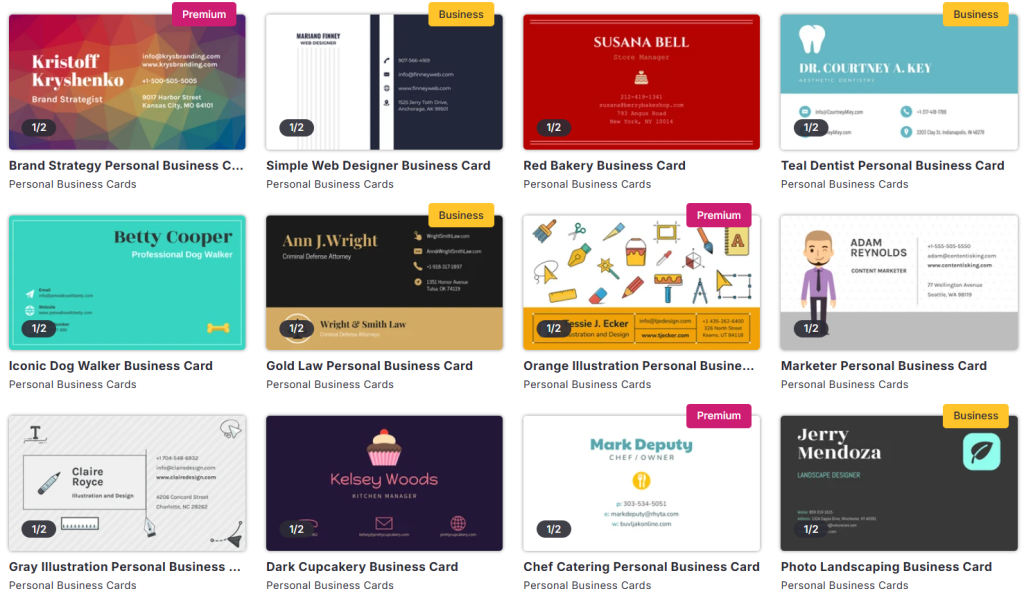
The graphic design software Venngage is well-known for its infographic and report generation options; however, it has some business card design templates available as well along with some business card design customization options.
Main Features
- Template Library: Venngage has a number of different business card templates that can be used based on what type of design you would like to create.
- Drag-and-Drop Editor: Users will have the ability to easily edit and customize their business cards by adding and changing text, icons, and colors without having to possess any sort of design experience.
- Visual Assets: Venngage provides users with access to a library of visual assets, including icons, shapes, and graphics that can be added to enhance their designs.
- Export Options: Venngage allows users to export their designs into various file formats, such as PDF, PNG, and JPG, so they may be printed or digitally displayed.
- Brand Kit (Premium): The Brand Kit allows users to store logos, color palettes, and font types, making it easier to maintain brand consistency when creating designs across all of Venngage’s templates.
Read More: Telegram Channels vs WhatsApp Groups: Which One Is Better?
Why Use Venngage for Business Cards?
Venngage is a user-friendly option for creating business cards, especially for those already using the platform for reports or presentations. Its drag-and-drop editor and infographic tools make designing straightforward and visually appealing.
However, its features are more limited compared to a full branding ecosystem, offering fewer advanced options for cohesive business card design.
- Easy-to-use platform
- Drag-and-drop editor
- Chart and infographic tools
- Basic graphic design tools
- Limited branding ecosystem
Final Choice
Venngage has an intuitive design interface that can be used to create nice and simple business cards as well as other forms of visual content; however, Design.com outperforms all competitors in 2026 due to AI-powered design creation, deep customizable templates, an expansive template library, the full branding ecosystem, and built-in printing capabilities.
From creating business cards to logos to posters to websites, Design.com is a total design solution that will grow with your brand.
Design.com is therefore the best choice for businesses and professionals who are looking for a professional, consistent, and commercially acceptable business card design.
Read more related blogs and guide on InstaCreator. Also Join us WhatsApp.